cplieger/github-scout
See open PRs, issues, code-scanning alerts and failed CI runs across your GitHub repos in Grafana
10K+
cplieger/github-scout repository overview
github-scout
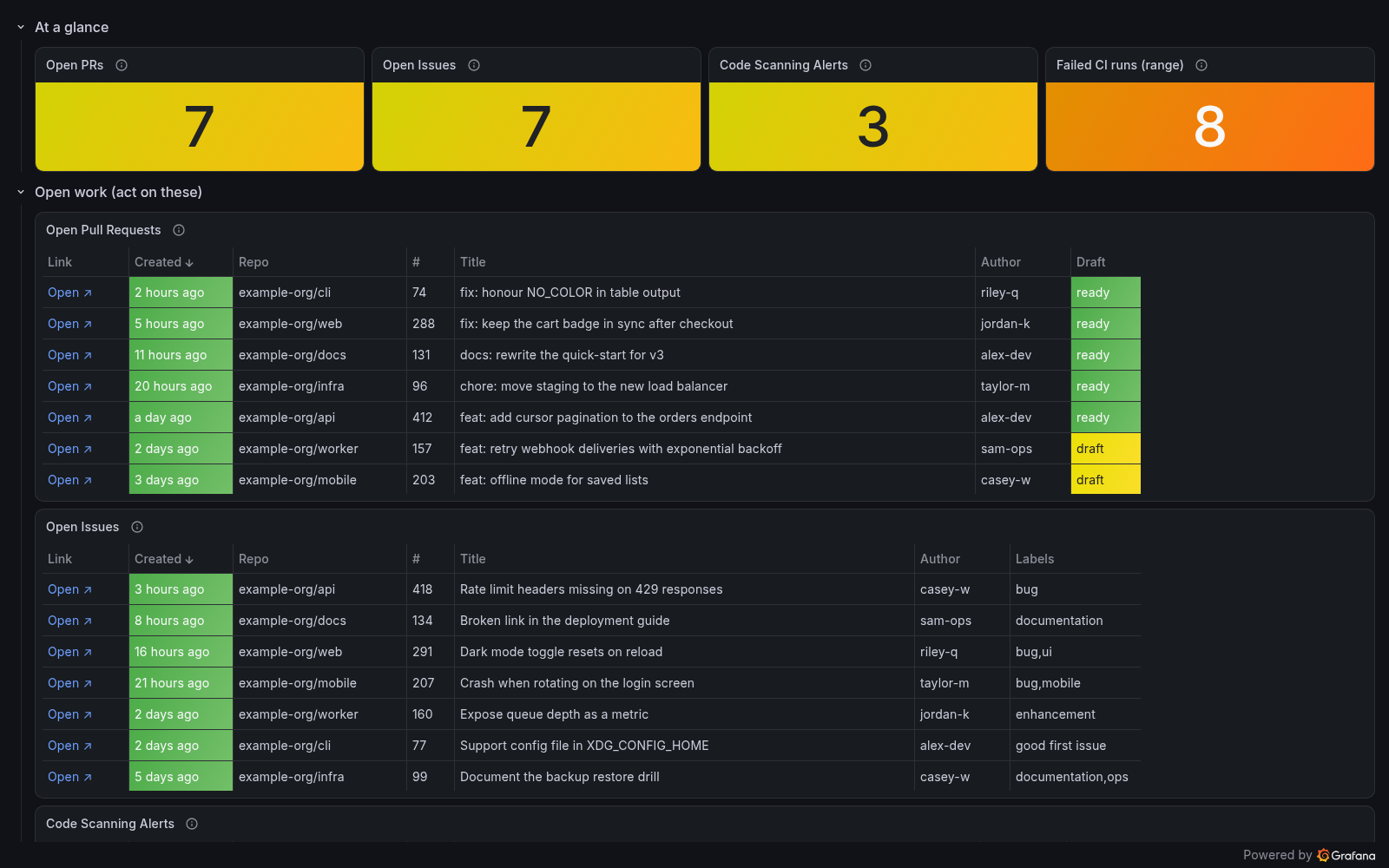
github-scout puts the open pull requests, open issues, code-scanning alerts and failed Actions runs across your GitHub repositories on one Grafana dashboard, with a link on every row. It only reads from GitHub.
What it does
github-scout shows you what is waiting for you across all your repositories, in one place:
- Lists open pull requests and issues, newest first, leaving out Renovate's by default.
- Lists open code-scanning alerts, colored by severity.
- Lists failed, timed-out and startup-failed Actions runs, with a link to each run.
- Adds a new repository or workflow on the next scan, with nothing to configure.
- Marks the counts a scan could not check, so you can tell an unchecked zero from a confirmed zero.
Who it is for
github-scout is built for people with many GitHub repositories, private ones included. It checks each repository every 15 minutes. It covers up to 500 repositories of your own github.com account, not organization repositories or Dependabot alerts.
github-scout reports through its log, so its dashboard and alerts come from your Grafana, Loki and Alertmanager, which the monitoring guide sets up. You also need a read-only GitHub personal access token.
Other tools suit other needs:
- Consider the Grafana GitHub data source if you want Grafana panels that query the GitHub API directly for your repositories and projects.
- Consider gh-dash if you want to work through pull requests and issues from a terminal, with diff, comment and checkout built in.
github-scout is free software under the GPL-3.0-or-later license.
Pull
docker pull cplieger/github-scout:latest
Also published to ghcr.io/cplieger/github-scout with identical images and tags. Release versions are tagged vX.Y.Z alongside latest.
Quick start
# Example compose for github-scout. See the README for all configuration options and hardening.
services:
  github-scout:
    image: ghcr.io/cplieger/github-scout:latest
    container_name: github-scout
    restart: unless-stopped

    environment:
      # Before the first start, create a .env file beside this file with two lines,
      # GITHUB_OWNER=<your GitHub login> and GITHUB_TOKEN=<a read-only token>. The README lists the token permissions.
      GITHUB_OWNER: "${GITHUB_OWNER:?set GITHUB_OWNER - the login whose repos to scan}"
      GITHUB_TOKEN: "${GITHUB_TOKEN:?set GITHUB_TOKEN - see README for token scopes}"
      SCAN_INTERVAL: "15m"  # time between scans, such as 15m or 1h
Documentation
- Full documentation — configuration, behavior, security
- Configuration
- Security
- How github-scout works
- Monitoring and alerts
- Contributing
- Releases and changelog
License
GPL-3.0-or-later. See LICENSE. The image carries the license text of every bundled component under /usr/share/licenses/.
Third-party attributions are in THIRD_PARTY_NOTICES.md.
Tag summary
Content type
Image
Digest
sha256:6dc17ee11…
Size
3.8 MB
Last updated
1 day ago
docker pull cplieger/github-scout