int128/jira-to-slack
Slack/Mattermost Integration for notifying Jira events, ready on Docker
4.7K
int128/jira-to-slack repository overview
jira-to-slack 

This is a chat integration to notify Jira events.
Supported chat platforms:
- Slack
- Mattermost
Supported runtime:
- Standalone binary
- Docker
- Kubernetes
- Google Cloud Run
- Google App Engine
- AWS Lambda
Examples
Slack

Mattermost
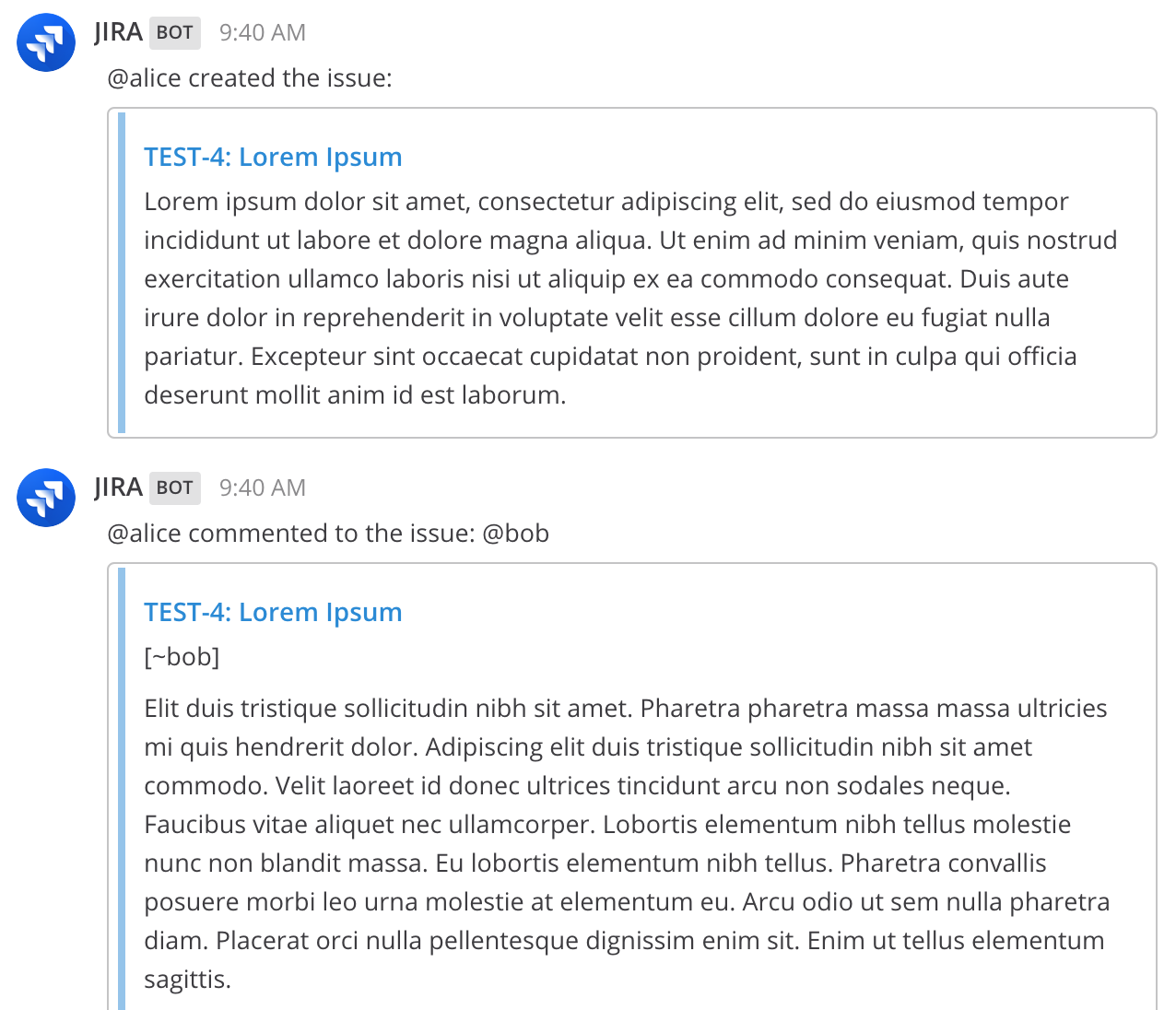
Getting Started
1. Setup Slack/Mattermost
Create an Incoming Webhook on your Slack or Mattermost.
2. Setup Jira
Create a Webhook on your Jira cloud or server. Set the URL of the Webhook as follows:
https://jira-to-slack-4fz6yhbo6a-uc.a.run.app/?webhook=https://hooks.slack.com/YOUR_HOOK
You can add the following query parameters:
| Name | Value | Default | Example |
|---|---|---|---|
webhook | Slack/Mattermost Webhook URL | Mandatory | https://hooks.slack.com/YOUR_HOOK |
username | BOT username | - | JIRA |
channel | Channel to show messages at | - | some-public-channel |
icon | BOT icon emoji or URL | - | :speech_baloon: or https://.../jira.png |
dialect | API dialect | slack | slack or mattermost |
debug | Dump Jira and Slack messages to console | 0 | 0 or 1 |
For example,
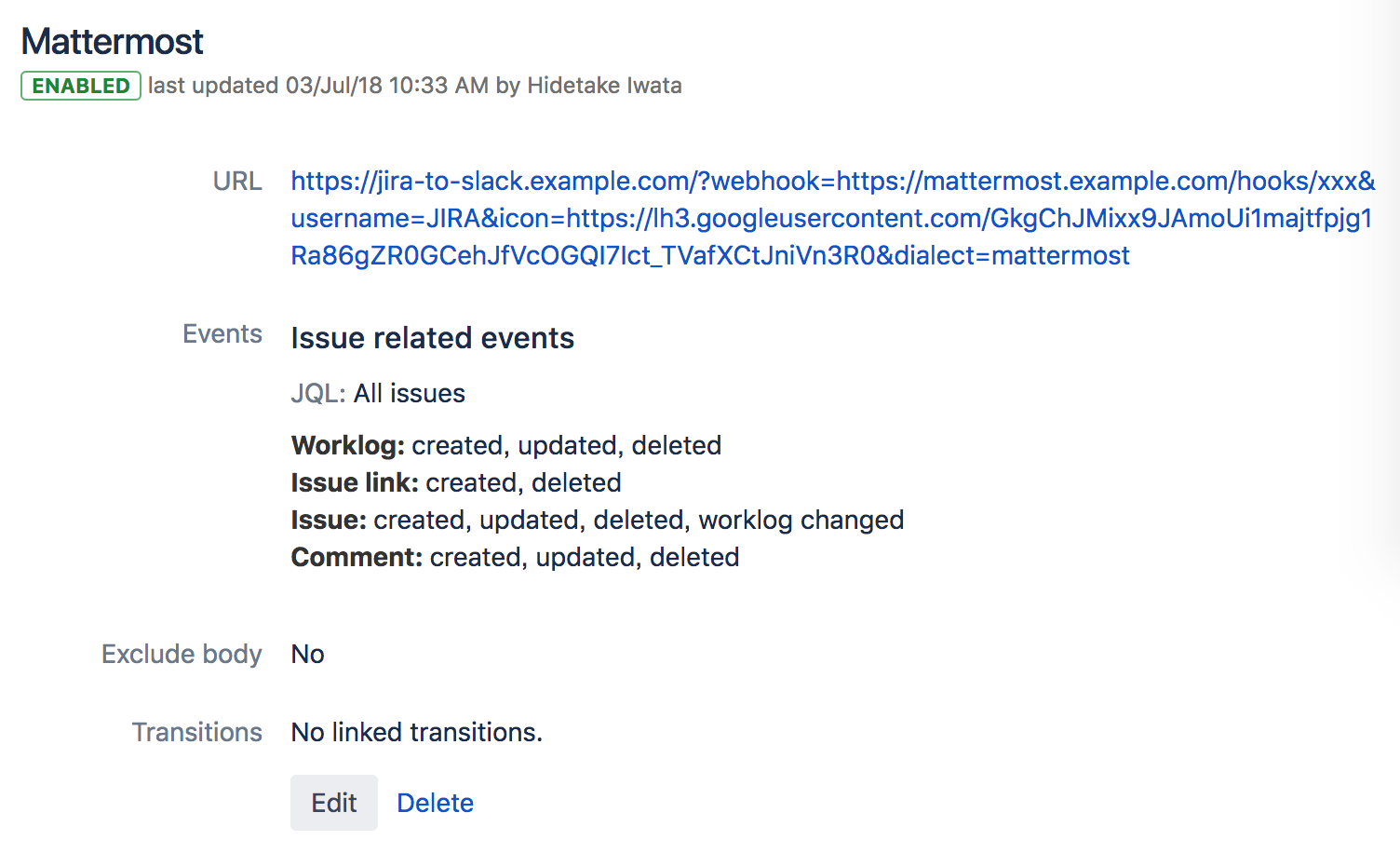
You can deploy jira-to-slack to your server as well. See the later section for details.
3. Test notification
Create a ticket on your Jira and a message will be sent to your Slack/Mattermost.
You can turn on debug logs by setting the query parameter debug=1.
Deploy to your server
Standalone
Download the latest release and run the command:
./jira-to-slack
It binds port 3000 by default.
You can set the port by PORT environment variable.
PORT=8080 ./jira-to-slack
Docker / Docker Compose
You can deploy the image quay.io/int128/jira-to-slack.
docker run --rm -p 3000:3000 quay.io/int128/jira-to-slack:v1.9.0
As well as you use Docker Compose.
services:
  jira-to-slack:
    image: quay.io/int128/jira-to-slack:v1.9.0
    # Expose host port 8080
    ports: "8080:3000"
Kubernetes
Deploy the manifests in the kubernetes folder.
kubectl -k kubernetes/
You can expose the service via an Ingress.
Google Cloud Run
You can deploy the image gcr.io/jira-to-slack/jira-to-slack to the Google Cloud Run.
Click the button to deploy the image to the Google Cloud Run.

Google App Engine
You can deploy the application to Google App Engine.
# Install SDK
brew cask install google-cloud-sdk
gcloud components install app-engine-go

# Run locally
make -C appengine run

# Deploy to cloud
gcloud app deploy --project=jira-to-slack appengine/app.yaml
AWS Lambda
You can deploy the application to AWS Lambda.
# Run locally
make -C lambda run

# Deploy to cloud
make -C lambda deploy SAM_S3_BUCKET_NAME=YOUR_BUCKET_NAME
You need to create a S3 bucket in the same region before deploying.
How it works
It sends a message to the channel on the following triggers:
- User created an issue.
- User commented to an issue.
- User assigned an issue.
- User updated summary or description of an issue.
- User deleted an issue.
If an issue or comment has mentions (Slack style @foo or JIRA style [~foo]), they will be converted to the chat platform specific format.
Other solutions
JIRA Mattermost Webhook Bridge. Great work. This is almost perfect but notifies many events so it may be noisy.
Mattermost official JIRA Webhook Plugin. This is still beta and in progress. Currently this does not notify comment.
Contribution
This is an open source software licensed under Apache License 2.0. Feel free to open your issues or pull requests.
Development
Start the server:
make
./jira-to-slack
E2E Test
You can send actual payloads of actual Jira events by the following script:
# Slack
SLACK_WEBHOOK="https://hooks.slack.com/xxx&username=JIRA&icon=https://lh3.googleusercontent.com/GkgChJMixx9JAmoUi1majtfpjg1Ra86gZR0GCehJfVcOGQI7Ict_TVafXCtJniVn3R0" ./pkg/formatter/testdata/post_jira_events.sh

# Mattermost
SLACK_WEBHOOK="https://mattermost.example.com/hooks/xxx&username=JIRA&icon=https://lh3.googleusercontent.com/GkgChJMixx9JAmoUi1majtfpjg1Ra86gZR0GCehJfVcOGQI7Ict_TVafXCtJniVn3R0&dialect=mattermost" ./pkg/formatter/testdata/post_jira_events.sh
Tag summary
Content type
Image
Digest
Size
8.6 MB
Last updated
over 6 years ago
docker pull int128/jira-to-slack