mliljedahl/telldus-core-mqtt
MQTT broker for telldus-core to integrate with Home Assistant using their MQTT Discovery.
4.3K
mliljedahl/telldus-core-mqtt repository overview
telldus-core-mqtt



telldus-core-mqtt is a MQTT broker for telldus-core to integrate with Home Assistant using their MQTT Discovery.
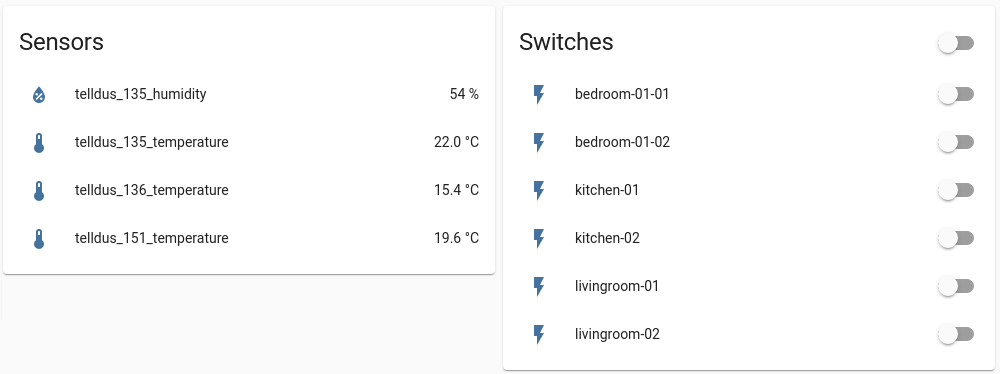
For now sensors, binary sensors, on/off switches and dimmers are supported, see Known limitations and Development for more information.
Configuration
It is possible to either use the config_default.yaml file or set the config parameters found in the file as environment variables. If the environment variables are not found the values from config_default.yaml are used.
Environment Variables
TDM_BASE_TOPIC
The MQTT base topic to post to. Default: homeassistant
TDM_STATE_TOPIC
The MQTT state topic to post to. Default: telldus
TDM_REPEAT_CMD
Number of times to repeat all telldus commands since it is not possible to know if the command was received or not. Default: 3
TDM_MQTT_SERVER
Hostname or IP address of the MQTT server. Default: localhost
TDM_MQTT_PORT
Port number that the MQTT server is listening on. Default: 1883
TDM_MQTT_USER
Username for authentication to MQTT server. Default: telldus-core-mqtt
TDM_MQTT_PASS
Password for authentication to MQTT server. Default: telldus-core-mqtt
Installation
Best option is to run the docker-compose.yaml file. Else install it along side telldus-core in a python virtual environment, required packages are found in requirements.txt.
Docker Compose
Here is an example using docker-compose.yml:
  telldus-core-mqtt:
    image: mliljedahl/telldus-core-mqtt:1.2.1
    container_name: telldus-core-mqtt
    restart: unless-stopped
    environment:
      - TDM_MQTT_SERVER=localhost
      - TDM_MQTT_USER=telldus-core-mqtt
      - TDM_MQTT_PASS=telldus-core-mqtt
    devices:
      - /dev/bus/usb:/dev/bus/usb:rwm
    volumes:
      - ./tellstick.conf:/etc/tellstick.conf:ro
Running docker compose
$ docker-compose up -d
Docker run
$ docker run --name telldus-core-mqtt -e TDM_MQTT_SERVER=localhost -e TDM_MQTT_USER=telldus-core-mqtt -e TDM_MQTT_PASS=telldus-core-mqtt -v ./tellstick.conf:/etc/tellstick.conf:ro --device=/dev/bus/usb:/dev/bus/usb:rwm -d mliljedahl/telldus-core-mqtt:1.2.1
Python virtual environment
$ python3 -m venv venv
$ source venv/bin/activate
$ pip3 install --no-cache-dir -r requirements.txt
$ ./main.py
Linting
See tox.ini for supported environments.
$ tox -e lint
Known limitations
The following are the known limitations.
- To compile telldus-core in alpine linux 3.14 Docker version 20+ is required.
- The only sensors that have been tested are the temperature and humidity sensors and binary sensors. As for devices on/off switches and dimmers have been tested.
- Tested with a TellStick Duo, might also work with the TellStick or other controllers supported by telldus-core.
Internal tools
Here are a list of tools that can be helpful for creating the telldus.conf file.
tdevents
Example usage:
$ docker exec telldus-core-mqtt tdevents -h
tdcontroller
Example usage:
$ docker exec telldus-core-mqtt tdcontroller
tdtool
Example usage:
$ docker exec telldus-core-mqtt tdtool -h
Development
For now the only sensors that have been tested are the temperature and humidity sensors and binary sensors. As for devices on/off switches and dimmers have been tested. So there is still much to test and develop in this project. Please file an issue or even better, provide a pull request.
If you want to provide me with sensors or devices for testing and further development that is also welcome.
Cloning the repo
To build the Docker image all submodules needs to be fetched as well.
$ git clone [email protected]:mliljedahl/telldus-core-mqtt.git
$ cd telldus-core-mqtt
$ git submodule update --init
Building the Docker image
$ docker build -t telldus-core-mqtt .
Debugging the Docker image
$ docker run --rm -v ./tellstick.conf:/etc/tellstick.conf:ro --device=/dev/bus/usb:/dev/bus/usb:rwm -it telldus-core-mqtt:latest sh
$ docker logs -f telldus-core-mqtt
Docker Compose
In the dev folder there is a development docker-compose file that brings up both mosquitto and home-assistant.
$ docker-compose up -d
MQTT User
To set a password the first time, start the container using the docker-compose.yaml development file and enter the mosquitto container.
$ docker exec -it mosquitto sh
$ mosquitto_passwd -c /mosquitto/config/mosquitto.passwd telldus-core-mqtt
Reporting bugs
Please report bugs in the issue tracker.
License
Distributed under the Apache 2.0 License. See LICENSE for more information.
Tag summary
Content type
Image
Digest
Size
42.6 MB
Last updated
almost 5 years ago
docker pull mliljedahl/telldus-core-mqtt