sillelien/scheduler
Docker scheduling system (support for Tutum.co only at the moment)
2.3K
sillelien/scheduler repository overview
Scheduler 
Scheduler is very much a work in progress. It's aim is to provide work scheduling for distributed Docker based systems.
If you use this project please consider giving us a star on GitHub. Also if you can spare 30 secs of your time please let us know your priorities here https://sillelien.wufoo.com/forms/zv51vc704q9ary/ - thanks, that really helps!
Please contact us through chat or through GitHub Issues.


Please use a tagged version:
FROM sillelien/scheduler:0.1.70
Setting Up
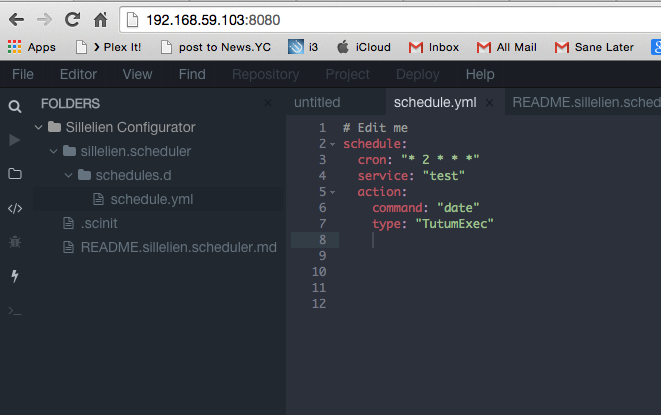
Sillelien Scheduler, uses Sillelien Configurator to configure schedules. Configurator is simply a combination of a git repository and an editor to allow you to alter config in Docker images in a sensible and permanent manner.
Below is a typical docker-compose file
worker:
  image: sillelien/jessie
  command: "sleep 1000000"


scheduler:
  image: sillelien/scheduler:0.1.70
  links:
    - test:test
    - scserver:scserver

scserver:
  image: sillelien/sc-server:0.0.56
  volumes:
    - /var/sc/config/server:/repo
  ports:
    - "1500"
    - "9418"

sceditor:
  image: sillelien/sc-editor:0.0.56
  volumes:
    - /var/sc/config/editor:/config
  links:
    - scserver:scserver
  ports:
    - "8080:8080"
Here you can see the three parts: the Configurator server, the Configurator editor and the Scheduler. The editor allows you to create and modify Scheduler YAML files, the server stores them in a git repository and Scheduler uses them to Schedule work.
When you first start up this docker-compose arrangement Scheduler will create the appropriate directories and files for you to use.

Creating a Job
Scheduler schedules Jobs, these jobs are read from a YAML file. An example schedule is:
date_job:
  cron: "* * * * *"
  action:
    type: tutum_exec
    service: "test"
    command: "date"
Currently the supported action types are tutum_exec only.
tutum_exec
The action should contain type: tutum_exec, the service field is the name of the Tutum service to use and the command is the command string to be executed on that service.
Badges




(c) 2015 Sillelien all rights reserved. Please see LICENSE for license details of this project. Please visit http://sillelien.com for help and commercial support or raise issues on GitHub.
Tag summary
Content type
Image
Digest
sha256:d6eb3b027…
Size
155.1 MB
Last updated
about 11 years ago
docker pull sillelien/scheduler